

Get an optimized TV without Adds using AI agent
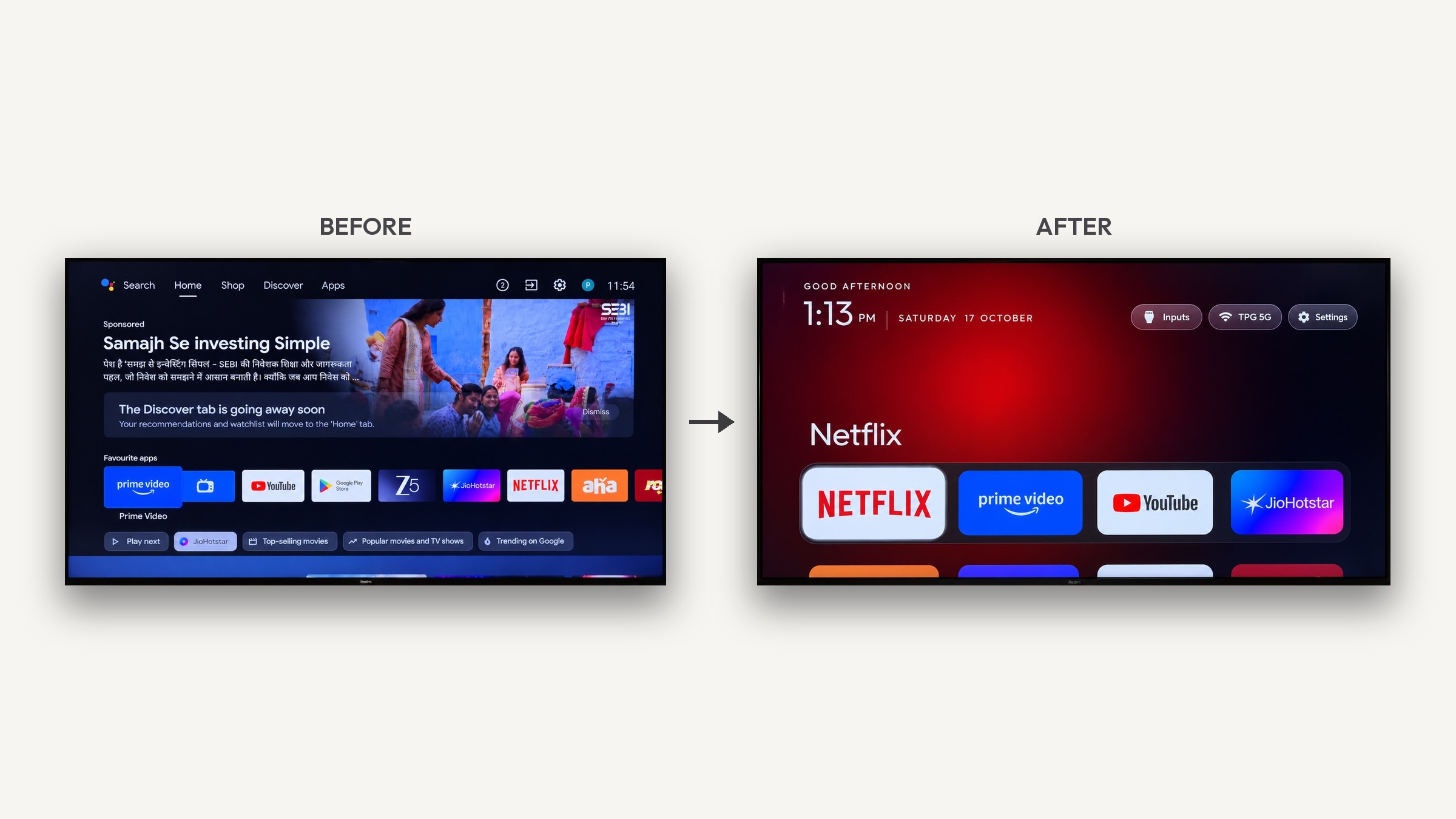
The trend of using AI tools like CleanYourTV to strip ads, blotware, and lag from smart TV interfaces has caught the attention of home entertainment enthusiasts—especially those looking to breathe new life into older hardware. I could be considering running an AI-assisted cleanup script over Android Debug Bridge (ADB) on my old Philips OLED 803/12 (a 2018 model running Android TV), here you can read a nice breakdown of what this movement means, how it applies to the setup, and whether it’s worth the attempt.
The Good
Breathe New Life into Older Hardware: An 8-year-old OLED panel like the Philips 803 still delivers phenomenal contrast, deep blacks, and excellent picture quality. However, older onboard processors often struggle to render modern, ad-heavy Android TV home screens. Stripping background services can make the UI feel significantly faster and more responsive.
Ad-Free, Minimalist User Experience: By disabling sponsored recommendations and unwanted FAST (Free Ad-Supported Streaming TV) apps, you can replace a cluttered interface with a clean, Apple TV-like home layout that only displays the streaming apps you actually use.
Lower Technical Barrier to Entry: Historically, debloating Android TV required manual ADB commands and developer knowledge. AI tools like Claude Code combined with community scripts from projects like CleanYourTV automate package identification, making customization accessible to non-programmers.
Fully Reversible Adjustments: Because ADB operations typically disable system packages rather than permanently deleting them from system storage, modifications can generally be undone to restore factory behavior if a feature breaks.
The Bad
Platform Constraints: CleanYourTV and ADB debloating only function on Android TV and Google TV platforms. While your Philips OLED 803 runs Android TV, users with Samsung (Tizen), LG (webOS), or Hisense (VIDAA) TVs cannot utilize these tools.
Hardware Limitations Remain: While removing background services frees up RAM and CPU cycles, it cannot upgrade the underlying 2018 SoC (System on Chip). Heavily demanding modern app interfaces may still experience performance bottlenecks compared to current streaming hardware.
Risk of Disabling Ambilight or Philips Features: Philips TVs rely on proprietary background system services to handle features like three-sided Ambilight, localized picture processing, and original remote control shortcuts. Generic AI cleanup scripts risk disabling these core services if not specifically tailored for Philips Android TV firmware.
The Ugly
Risk of Soft-Bricking: If an AI agent misidentifies an essential system dependency and disables a critical boot package, your TV can enter a boot loop or become unresponsive. Fixing a soft-bricked Android TV often requires manual recovery menu navigation or factory resets.
Broken Updates & Security Vulnerabilities: Disabling core system utilities can prevent your TV from receiving or applying system updates. Conversely, an official firmware update from the manufacturer could potentially overwrite custom interfaces or break modified services unexpectedly.
Loss of Warranty & Support: While warranty coverage on an 8-year-old television has long expired, modifying system-level packages means official customer support or technician services will not assist if system stability issues arise.
Is it right for my Philips OLED 803/12?
My TV is an older Philips OLED 803 runs Android TV, it's from 2018 and it is technically compatible with ADB-based debloating tools. Since the TV is around 8 years old and well past its warranty period, it is an ideal candidate for experimental software optimization if you are comfortable using developer tools.
Your safer solution
However, if you want to eliminate UI lag and advertisements without risking your Ambilight integration or system stability, connecting a dedicated modern streaming device—such as an Apple TV 4K or Google TV Streamer—to one of your HDMI ports remains the safest and most effective way to retain your panel's stellar picture quality while securing a fast, modern smart interface.
